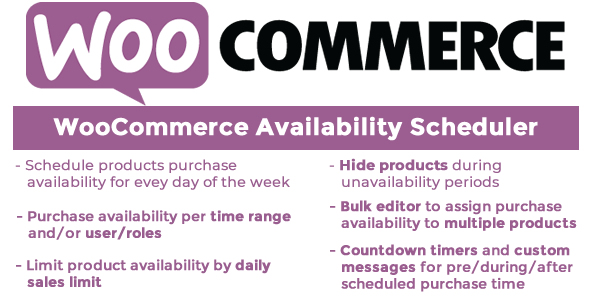
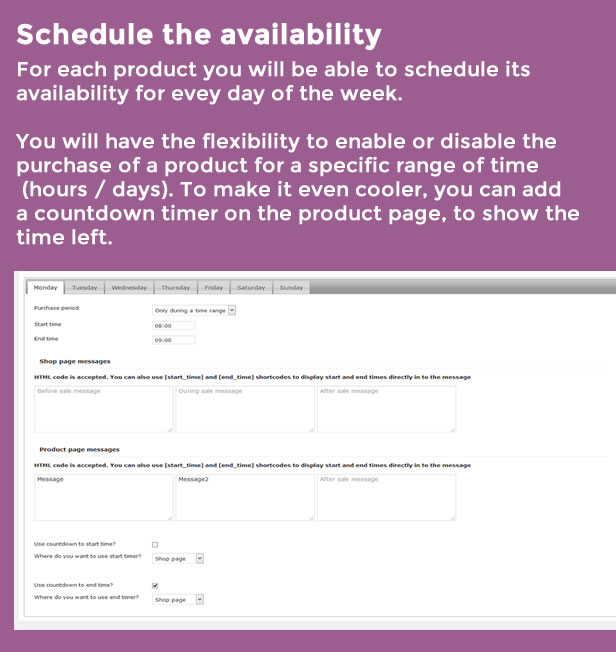
Mit dem WCAS können Sie die Verfügbarkeit aller Ihrer Produkte verwalten und diese über den gesamten Wochentag planen
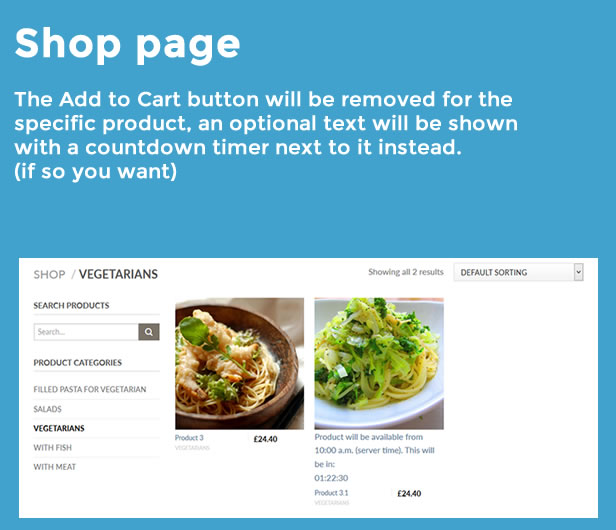
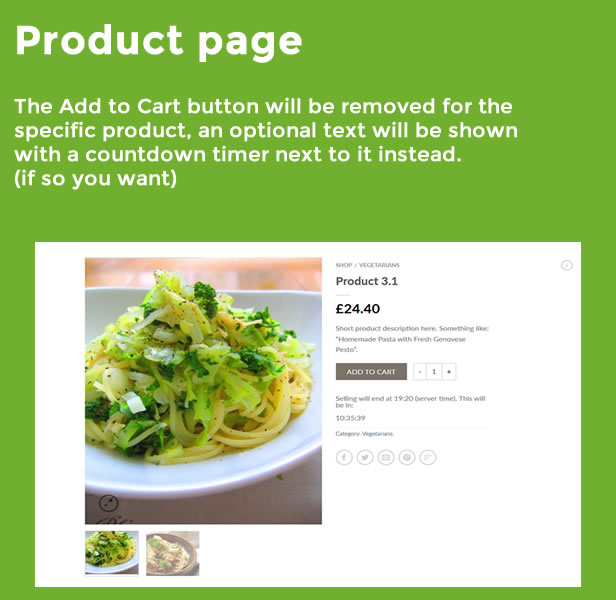
Sie haben die Flexibilität, für jeden Wochentag (Montag bis Sonntag) eine Zeitspanne festzulegen, an der Ihre Produkte Ihren Kunden zum Kauf zur Verfügung stehen, wobei die Schaltfläche „In den Warenkorb“ (und optional das Produkt) automatisch ausgeblendet bzw. angezeigt wird. Auf Shop- und Produktseiten mit einer benutzerdefinierten Nachricht und einem Countdown-Timer.
Darüber hinaus kann die tägliche Verfügbarkeit des Produkts auch durch den Gesamtverkauf pro Tag begrenzt werden.
Hinweis: Das Plugin benötigt wie WordPress eine PHP-Version von mindestens 5.5.
LIVE DEMO
https://www.codecanyon.eu/wcas/wp-admin/
Shop-Administratorrolle
Benutzer: Demo
Pass: Demo
Kundenrolle
Benutzer: demo2
pass: demo2
So aktualisieren Sie das Plugin automatisch
Um automatische Updates zu erhalten, installieren und konfigurieren Sie einfach das Envato-Updater-Plugin: https://goo.gl/pkJS33. Die offizielle Anleitung zur Konfiguration finden Sie unter folgendem Link: https://envato.com/market- Plugin.
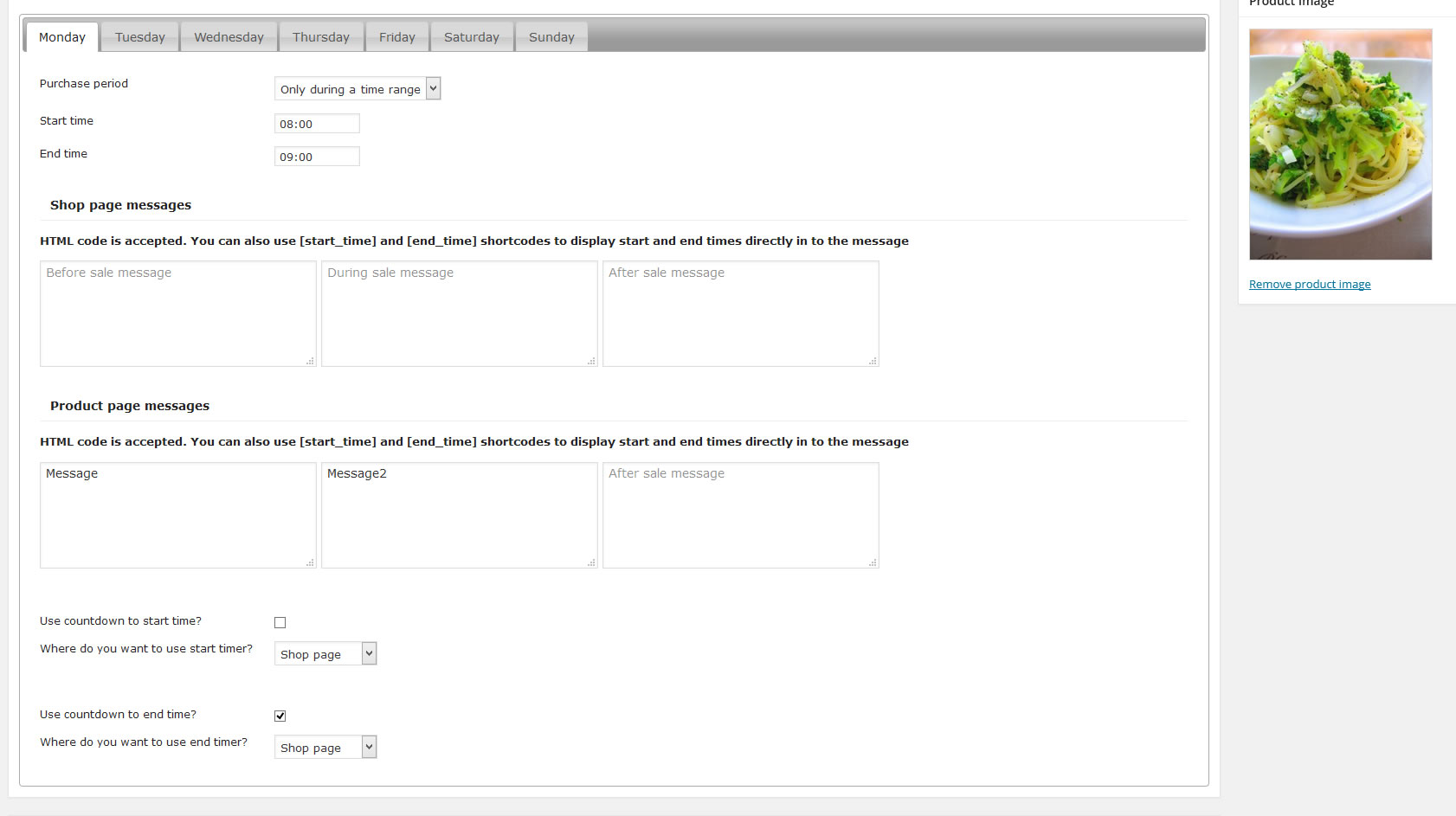
Benutzerdefinierte Nachrichten und Shortcodes
Mit dem WCAS-Plugin können Sie benutzerdefinierte Nachrichten sowohl auf der Shop-Seite als auch auf der Produktseite anzeigen.
Teilen Sie Ihren Kunden mit, warum das Produkt für den Kauf nicht verfügbar ist und wann sie es verwenden werden
[start_time] und [end_time] Shortcodes direkt in benutzerdefinierten Nachrichten.
Benutzerregeln
WCAS bietet auch die Möglichkeit, die Verfügbarkeit von Produktkäufen mithilfe von Benutzerrollen einzuschränken. Auf diese Weise kann der Shopadministrator für einen bestimmten Wochentag (Montag bis Sonntag) einen bestimmten Zeitbereich festlegen und den Zeitraum einschränken
Kauffähigkeit nur für eine Reihe von Benutzern.
Countdown-Timer
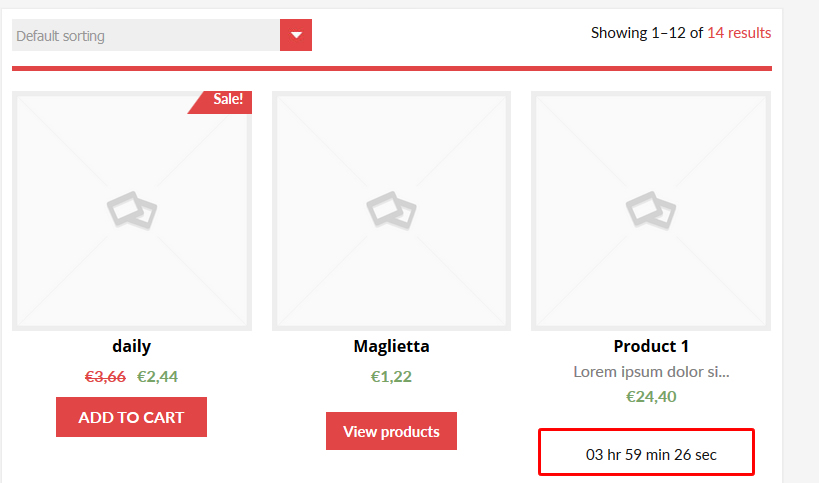
Mit dem WCAS-Plugin können Sie Countdown-Timer anzeigen, mit denen Ihre Kunden wissen, wie viel
Es fehlt die Zeit, um mit dem Kauf zu beginnen, die Zeit bis zum Kaufende oder das Ablaufdatum und die Zeit.
Ablaufdatum Zeit
Mit dem WCAS-Plugin können Sie für jedes Produkt ein Ablaufdatum festlegen. Nach diesem Datum wird das Produkt automatisch hergestellt
versteckt und für den Kauf nicht verfügbar (wird als „Entwurf“ festgelegt). Optional kann das Produkt weiterhin als sichtbar festgelegt werden (es ist jedoch nicht käuflich).
Sie können auch ein anzeigen Countdown-Timer bis zum Verfallsdatum und Nachrichten (sowohl auf der Shop- als auch auf der Produktseite), die vor und nach dem Verfallsdatum angezeigt werden sollen.
Produkte während der Nichtverfügbarkeit vollständig ausblenden
WCAS kann Produkte während des Zeitraums „Nicht verfügbar“ (als „Entwurf“ festgelegt) automatisch ausblenden und sie nur während des Zeitraums „Verfügbar“ sichtbar machen.
Tagesausfall nach Tagesgesamtverkäufen
Das WCAS bietet auch die Möglichkeit, das für jeden Tag verfügbare Produkt zu begrenzen, indem ein Maximalwert für den Gesamtumsatz festgelegt wird, ab dem das Produkt nicht mehr zum Kauf verfügbar (oder ausgeblendet) ist Produkt bei Nichtverfügbarkeit ausblenden Möglichkeit).
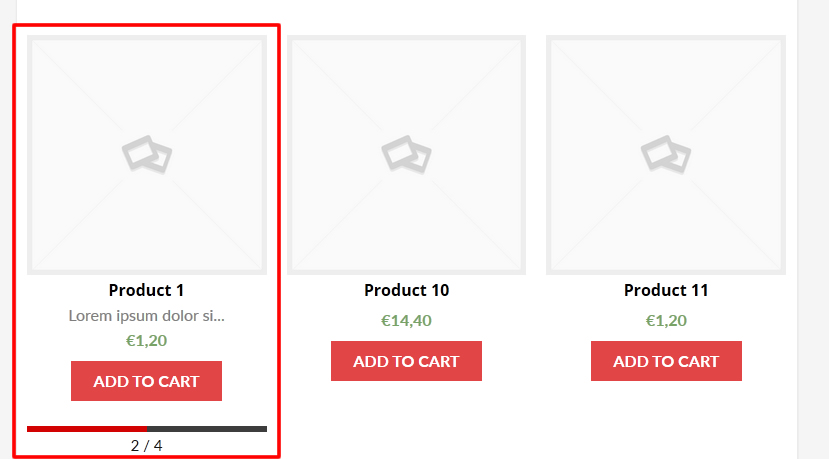
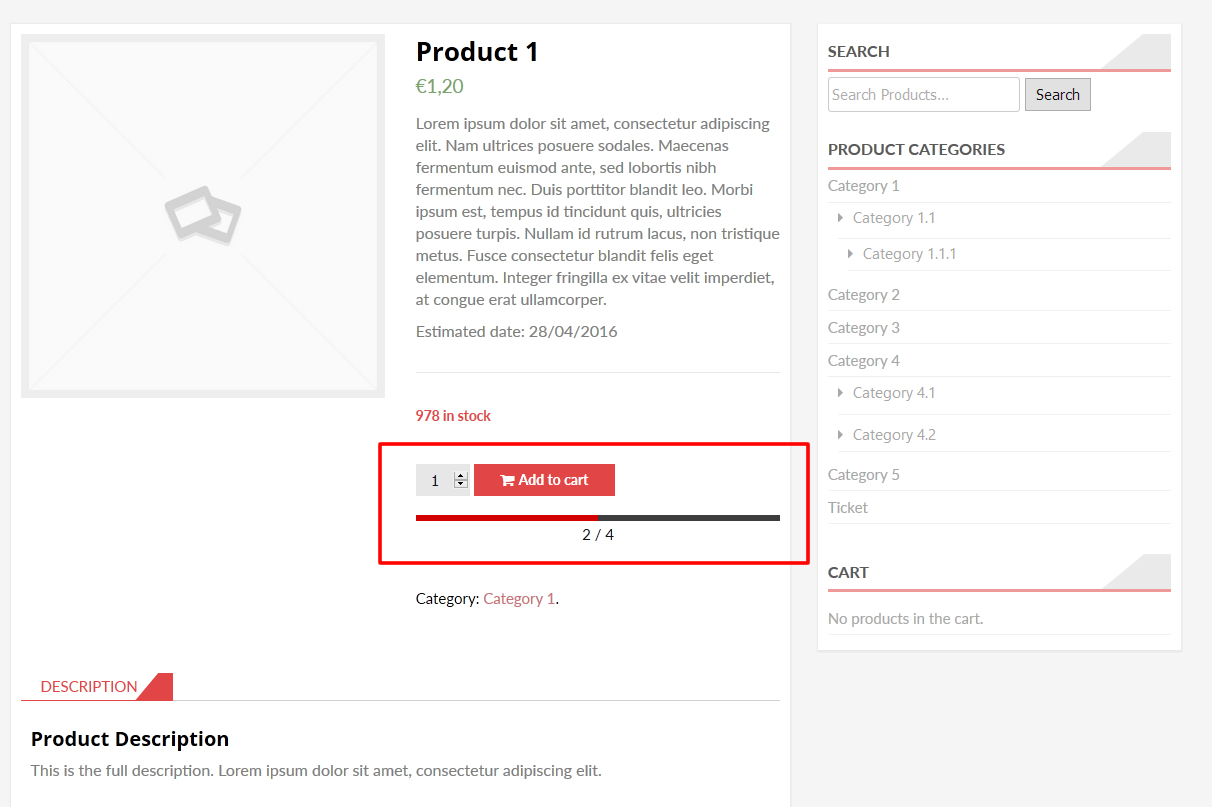
Der Shop-Administrator kann auch eine schöne Fortschrittsleiste anzeigen, die den aktuellen Verkaufsfortschritt pro Tag anzeigt. Die Balkenfarben können im Optionsmenü angepasst werden.
Globale Kurzwahlnummern
Das WAS-Plugin stellt einen Shortcode zur Verfügung, der in der Produktbeschreibung, auf den Seiten usw. verwendet werden kann. Hier die Liste:
- [was_expiring_datetime]: druckt die abgelaufene Datumszeit des aktuellen Produkts, kann optional als Parameter „id“ und / oder „format“ zum Drucken verwendet werden
ein Ablaufdatum und eine Ablaufzeit eines bestimmten Produktformatierungsdatums unter Verwendung eines bestimmten Formats. Beispielsweise:
[was_expiring_datetime id=”12” format=”d/M/Y”]: Gibt das Verfallsdatum und die Verfallszeit des Produkts mit der ID 12 aus, wobei nur Tag, Monatsname und Jahr gedruckt werden, zum Beispiel: „27 / Nov / 2015“. - [was_start_time]: Druckt die Startzeit des aktuellen Tages für das aktuelle Produkt. Optional kann der Benutzer den Parameter „id“ angeben. Beispielsweise: [was_start_time id=”12”]
- [was_end_time]: Druckt die Endzeit des aktuellen Tages für das aktuelle Produkt. Optional kann der Benutzer den Parameter „id“ angeben. Beispielsweise: [was_end_time id=”12”]
Verfügbarkeit für Bulk-Bearbeitung
Unter der WooCommerce-Menü-Stimme findet der Shop-Administrator eine spezielle Stimme „Bulk Availability Scheduler“, mit der er auf einfache Weise zugreifen kann
Verfügbarkeit von Bulk-Edit-Produkten.
Hinweis: Vergewissern Sie sich, dass das von Ihnen verwendete Thema korrekt mit dem Symbol ist woocommerce_after_single_product,
woocommerce_loop_add_to_cart_link und woocommerce_single_product_summary Aktionen im Shop und Einzelprodukt
Seite (wie es die woocommerce-Referenzvorlagen tun), sonst kann das Plug-in keine ordnungsgemäße Verknüpfung mit dem Thema herstellen, um die Schaltfläche zum Hinzufügen zum Warenkorb zu entfernen.
Fügen Sie die Nachrichten und Countdown-Timer hinzu. Alle gut gestalteten Themen verwenden diese Aktionen korrekt.
Einfache und variable Produkte
Mit dem WCAS-Plugin können Sie die Verfügbarkeit für einfache und variable Produkte festlegen. Bestimmte Variationen werden jedoch nicht unterstützt, also bei variablen Produkten
Die Verfügbarkeit wird auf das Masterprodukt und nicht auf eine bestimmte (n) Variation (en) davon abgerechnet.
WPML
Um Produktverfügbarkeitsnachrichten zu übersetzen, gehen Sie wie folgt vor:
- Bearbeiten Sie das Produkt und in der Einrichtung mehrsprachiger Inhalte meta box klicke auf den Systemfelder anzeigen: https://www.codecanyon.eu/images/WAS/wpml/step_1.jpg
- Suchen Sie nach den folgenden Zeichenfolgen: https://www.codecanyon.eu/images/WAS/wpml/step_2.jpg und klicken Sie auf Übersetzen Möglichkeit
- Bearbeiten Sie dann das übersetzte Produkt. Unten finden Sie neue Meta-Felder, mit denen Sie Produktverfügbarkeitsnachrichten übersetzen können: https://www.codecanyon.eu/images/WAS/wpml/step_3.jpg
Bekannte Unkompatibilität
Das Measurement Price Calculator-Plugin stört W.A.S, wodurch die Schaltflächen zum Hinzufügen zum Warenkorb auf Shop- und Produktseiten doppelt dargestellt werden. Also, wenn Sie daran denken, zu verwenden
W.A.S Plugin Bitte deaktivieren Sie das Measurement Price Calculator Plugin, bevor Sie es verwenden.
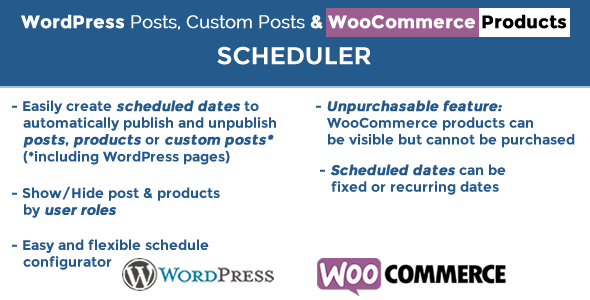
… Möchten Sie Produkte in benutzerdefinierten Zeiträumen und in mehreren Zeiträumen automatisch veröffentlichen / deren Veröffentlichung aufheben? pro Benutzerrollen einschränken? Probieren Sie mein neues Plugin aus!
Probieren Sie das WordPress Posts & WooCommerce Products Scheduler-Plugin aus. Sie können problemlos mehrere und wiederkehrende Zeitbereiche für Ihre Produkte konfigurieren
wird automatisch veröffentlicht / nicht veröffentlicht! Jedes Produkt kann mehrere Planungszeiträume haben, die auch auf Benutzerrollen basieren!
Screenshots
Gesamtverkaufsfortschrittsanzeige auf der Shop-Seite
Gesamtverkaufsfortschrittsbalken auf der Produktseite
Timer
Administrationsmenü
ÄNDERUNGSPROTOKOLL
= 10.4 - 28.01.20 =
* Minor bugfix

= 10.3 - 28.01.20 =
* Minor bugfix

= 10.2 - 24.01.20 =
* Minor bugfix

= 10.1 - 24.01.20 =
* Improved datetime selector

= 10.0 - 26.09.19 =
* Fixed an issue related to the Polylang plugin

= 9.9 - 26.09.19 =
* Minor bugfix

= 9.8 - 26.09.19 =
* Fixed an issue due to "Administrator" role was not properly displayed among role restriction list

= 9.7 - 28.06.19 =
* Minor JS improvement

= 9.6 - 28.06.19 =
* Fixed an incompatibility with WooCommerce Subscription plugin

= 9.5 - 23.06.19 =
* Fixed an incompatibility with WooCommerce Subscription plugin

= 9.4 - 03.06.19 =
* Minor bugfix

= 9.3 - 23.05.19 =
* Fixed an incompatibility with WooCommerce Bookings plugin

= 9.2 - 21.05.19 =
* Minor improvement

= 9.1 - 14.05.19 =
* Fixed an issue due to expiring message and expiration countdown timer were not displayed together

= 9.0 - 05.04.19 =
* Minor bugfix

= 8.9 - 18.12.18 =
* Fixed an issue with WooCommerce Ultimate Gift Card

= 8.8 - 13.10.18 =
* Added new activation system: now the plugin can be only activated in two domains and they cannot be unregistered

= 8.7 = 28.10.18
* Fixed an issue with the hide option using the bulk editor

= 8.6 = 27.10.18
* Fixed an issue in the Bulk editor

= 8.5 = 03.10.18
* Typo

= 8.4 = 17.08.18
* Fixed an issue related to the WooCommerce Product Bundle plugin

= 8.3 = 11.08.18
* Fixed an issue related to the Woo Product Bundle plugin

= 8.2 = 01.08.18
* Minor bugfix

= 8.1 = 12.06.18
* Improved UI
* Added option to select time format for the end and start to time shortcodes

= 8.0 = 05.04.18
* Fixed an issue that may generate some warning message while accessing some data structures

= 7.9 = 11.03.18
* Fixed an interference by WooCommerce One Page Checkout that may cause the admin post and pages list page to be not properly showed

= 7.8 = 06.03.18
* Minor bugfix

= 7.7 = 05.03.18
* Fixed an issue with WooCommerce Booking

= 7.6 = 13.01.17
* Fixed an issue due to in variable product page where not displayed the variation selector

= 7.5 = 12.01.17
* Fixed an issue due to during availability period, messages were displayed twice

= 7.4 = 26.12.17
* Minor bugfix

= 7.3 = 07.11.17
* Fixed an issue due to a draft product where published even if the "hide during the unavailability period" option was not checked

= 7.2 = 23.10.17
* Minor bugfix

= 7.1 = 28.09.17
* Improved performance

= 7.0 = 24.09.17
* Added new option to display countdown timer to expiration date
* Optimized SQL queries
* Small CSS improvement

= 6.9 = 24.08.17
* Added option assign settings assigned to a day to the selected days

= 6.8 = 28.07.17
* Minor bugfix

= 6.7 = 22.06.17
* Fixed an issue with category pages

= 6.6 = 14.05.17
* Minor bugfix

= 6.5 = 25.04.17
* Fixed an issue that prevented the "add to cart" button to be properly showed in the Product page

= 6.4 = 05.04.17
* Improved "add to cart" removal managment

= 6.3 = 05.04.17
* Fixed a minor issue with WooCommerce 3.0

= 6.2 = 28.03.17
* Improved Shop page "add to cart" button removal function
* Fixed a bug that prevented the sales progress bar to be properly displayed

= 6.1 = 22.02.17
* Fixed an issue with the Expiring product feature, now it is properly working

= 6.0 = 26.01.17
* Added option to display on Shop and Product pages messages after the product expires

= 5.9 = 17.01.17
* Minor bugfix

= 5.8 = 08.12.16
* Minor UI improvement

= 5.7 = 27.11.16
* Minor bugfix. The prevented issue that could cause plugin crash

= 5.6 = 27.09.16
* Minor bugfix

= 5.5 = 16.09.16
* Added option for expired products to be still visible after expiration

= 5.4 = 24.08.16
* Fixed an issue that prevents sales limit feature to properly work

= 5.3 = 20.08.16
* Added button in settings menu to reset products availability

= 5.2 = 20.08.16
* Fixed an issue that could prevent the timer on shop and product pages to be properly displayed

= 5.1 = 19.08.16
* Improved timer style

= 5.0 = 18.08.16
* Minor bugfix

= 4.9 = 08.08.16
* Fixed an issue that prevents the countdown timer to be shown in the shop page

= 4.8 = 04.08.16
* Fixed an issue that prevented the countdown timer to be properly rendered in the product page

= 4.7 = 22.07.16
* Minor bugfix

= 4.6 = 21.07.16
* Bugfix: in some installations the datetime picker was not properly loaded

= 4.5 = 27.06.16
* Minor bugfix

= 4.4 = 06.05.16
* Bugfix: wpml

= 4.3 = 04.05.16
* Fixed an issue that prevented product to expire setting expiring date
* Fixed an issue that allows the customer to purchase expired products

= 4.2 - 02.05.16 =
* bugfix

= 4.1 - 30.04.16 =
* Improved functions that manages the "unhiding" of products

= 4.0 - 29.04.16 =
* Bugfix: The hide option now correctly hides the product in case of "Unavailability" time period strategy

= 3.9 - 28.04.16 =
* Added new feature to limit product availability by day total sales

= 3.8 - 29.03.16 =
* Minor bugfix

= 3.7 - 23.03.16 =
* Minor bugfix: it could happen that time offset on options menu was not saved
* Expiring/hide function could happen that didn't work as expected. If experiencing this issue, update the plugin to this version and
resave products where expire/hide feature didn't work

= 3.6 - 21.03.16 =
* Bugfix on removing product "hide" option. It was not saved.

= 3.5 - 21.02.16 =
* Bugfix on role restriction

= 3.4 - 16.02.16 =
* Small bugfix

= 3.3 - 12.02.16 =
* Bugfix

= 3.2 - 10.02.16 =
* Added availability per user role

= 3.1 - 26.01.16 =
* Added new option to make a product unavailable only for the selected time range

= 3.0 - 25.01.16 =
* Added "Clear" button to clear expiration date

= 2.9 - 09.12.15 =
* Added "Clear" button to clear expiration date

= 2.8 - 28.11.15 =
* UI Bugfix

= 2.7 - 26.11.15 =
* Bugfix

= 2.6 - 18.11.15 =
* Tabs restyling

= 2.5 - 12.11.15 =
* httpss bugfix

= 2.4 - 09.11.15 =
* Global shortcodes

= 2.3 - 30.10.15 =
* jQuery bugfix

= 2.2 - 30.09.15 =
* bugfix

= 2.1 - 23.09.15 =
* bugfix

= 2.0 =
* bugfix

= 1.9 =
* Added "hide product" option: is now possible to completely hide a product (is set as a draft)
during the unavailability period.

= 1.8 =
* Bugfix

= 1.7 =
* Bugfix

= 1.6 =
* Added new time offset option to synchronize server time with own time.

= 1.5 =
* Bulk edit

= 1.4 =
* Product expiring date time: is now possible to automatically unpublish a product after a date

= 1.3 =
* bugfix, improved timers and added new messages box

= 1.2 =
* bugfix

= 1.1 =
* Improved Admin UI layout
* Addedcountdown timers

= 1.0 =
* Release
Bewertung: 4.77
Verkäufe bisher: 592
Be the first to leave a review.